Claude How To, Tested: Clone, Hooks and an Offline E-Book
We cloned luongnv89/claude-howto in an isolated container and ran its quick start, a hook script and the e-book build. Here is what we did not test.
Summary
Claude How To is a free, MIT-licensed guide to Claude Code, the coding tool built on Anthropic’s Super Intelligence (SI) models. The project describes itself as “a visual, example-driven guide to Claude Code”. We did not just read the README. On Oct 28, 2026 we cloned the repository into an isolated container with no keys and no accounts, ran its quick start, ran one of its hook scripts, read another, and built its offline e-book.
The short result: the first two quick-start steps work, the prompt hook behaves as documented, and the e-book build works once Node.js is installed. The one thing we could not do is run the templates inside Claude Code itself, because that needs a Claude account and we did not sign in.
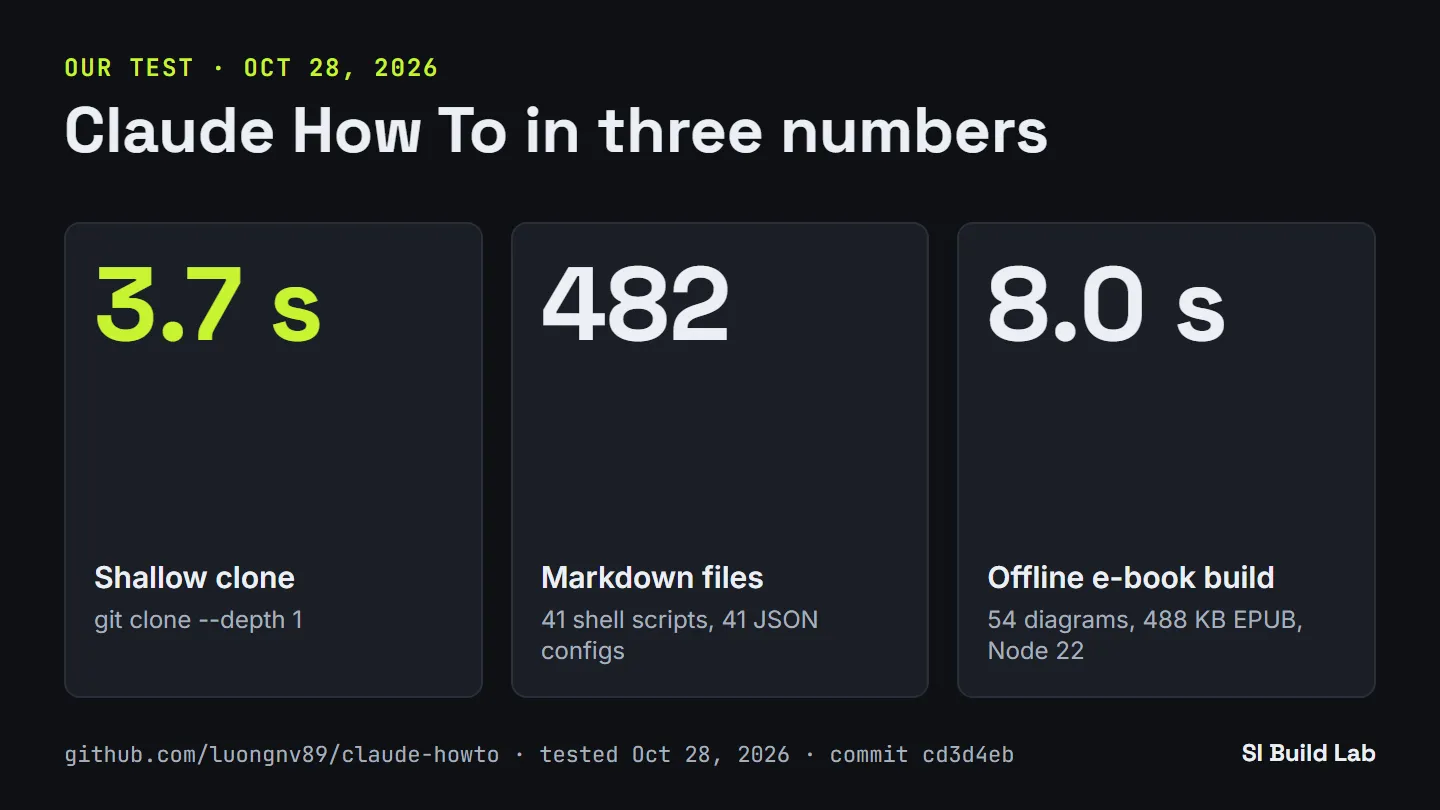
What we measured in the container on Oct 28, 2026. Chart by SI Build Lab · github.com/luongnv89/claude-howto · tested Oct 28, 2026
Key points
- Fast to get. A shallow clone (
git clone --depth 1) finished in 3.7 seconds. - Large and organized. The repository holds 482 Markdown files, 41 shell scripts, 41 JSON configs and 9 slash-command templates, arranged in 10 numbered modules.
- The prompt hook does what the README says. It blocked a dangerous prompt and let a safe one through with a reminder.
- The e-book build has a requirement we missed at first. It failed the first time because Node.js was missing. With Node 22 it built a 488 KB EPUB in 8 seconds.
- We did not test everything. Running
/optimizeinside Claude Code was out of scope for this test.
What the project says
The README’s pitch is that the official documentation describes features but does not show how to combine them. The tagline is “Master Claude Code in a Weekend.” The learning path has 10 modules, in this order: Slash Commands, Memory, Checkpoints, CLI Basics, Skills, Hooks, MCP, Subagents, Advanced Features and Plugins.
The README sorts them into three levels with time estimates: Beginner at about 2.5 hours, Intermediate at about 3.5 hours and Advanced at about 5 hours. The full path is listed as 11 to 13 hours. There is also a “Get Started in 15 Minutes” quick start. The guide is available in five languages: English, Tiếng Việt, 中文, Українська and 日本語. The README badge lists Claude Code 2.1+ as the supported version.
When we checked on Oct 28, 2026, the GitHub API showed 45,675 stars and 5,597 forks. The license is MIT. The repository homepage is luongnv.com/claude-howto.
How to get started
The README’s “Get Started in 15 Minutes” section has five steps: clone the guide; copy a slash command into .claude/commands/; type /optimize in Claude Code; copy the memory template to CLAUDE.md; and install a skill into ~/.claude/skills/. We ran the first two, which look like this:
git clone https://github.com/luongnv89/claude-howto.git
cd claude-howto
mkdir -p your-project/.claude/commands
cp 01-slash-commands/optimize.md your-project/.claude/commands/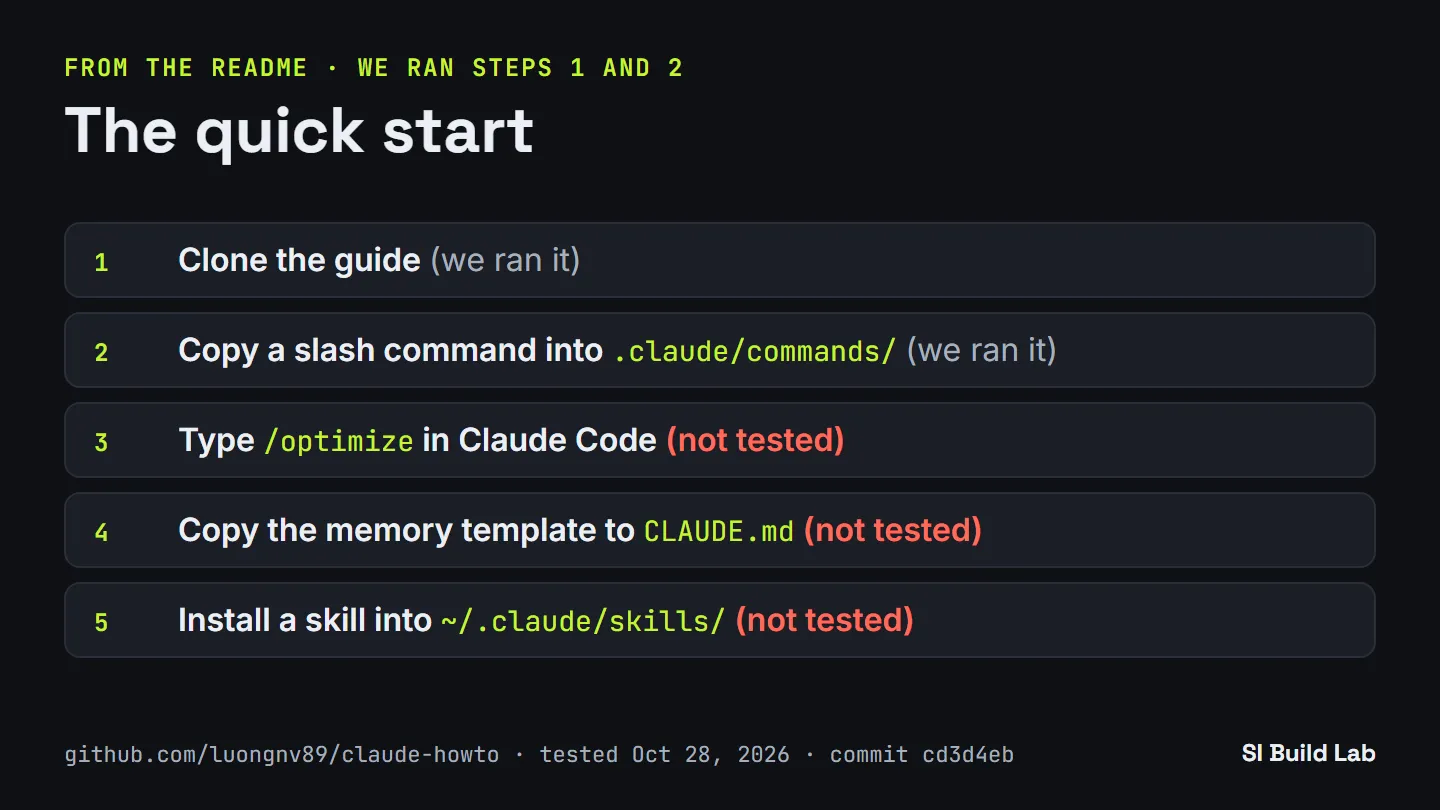
The README’s five steps. We ran steps 1 and 2 only; step 3 needs a Claude account, and we did not try steps 4 and 5. Chart by SI Build Lab · github.com/luongnv89/claude-howto · tested Oct 28, 2026
Step 3, typing /optimize inside Claude Code, needs Claude Code and a Claude account, so we did not run it. We also did not run step 4 (copying the memory template to CLAUDE.md) or step 5 (installing a skill into ~/.claude/skills/).
What we tested
We used two containers: a python:3.12-slim image with git, and a node:22-bookworm image (Node v22.23.4, Python 3.11.2). Each mounted only an output folder. No keys, no accounts. We tested commit cd3d4eb, dated Oct 27, 2026.
Clone and layout. The shallow clone took 3.7 seconds. All ten module folders, 01 through 10, exist. The biggest modules by file count are Plugins with 39 files, Skills with 23 and Hooks with 12. Slash Commands has 10 files, Subagents 10, Memory 6, MCP 5, Advanced Features 4, Checkpoints 2 and CLI Basics 1.
Quick start. Creating .claude/commands and copying optimize.md into it worked in under a tenth of a second. We read the file. It tells Claude Code to look for performance bottlenecks, memory leaks, algorithm improvements, caching opportunities and concurrency problems, and to report each finding with a severity, a location, an explanation and a fix. The file says it was last updated on August 4, 2026 and was written for Claude Code 2.1.220. The repository badge shows a newer current version, v2.1.310, so the template is a few releases behind. We did not check whether that matters in practice.
Hook: validate-prompt. The validate-prompt.sh script runs on the UserPromptSubmit event. We gave it two prompts.
| Prompt | Result |
|---|---|
| “Refactor the login function for readability” | Allowed, with the reminder “Warning: Refactoring without tests may be risky. Consider writing tests first.” |
| “run rm -rf / on the server” | Blocked: “Dangerous operation detected: rm -rf /” |
Each run took 0.02 to 0.03 seconds. The block came back as a JSON decision with the reason shown above.
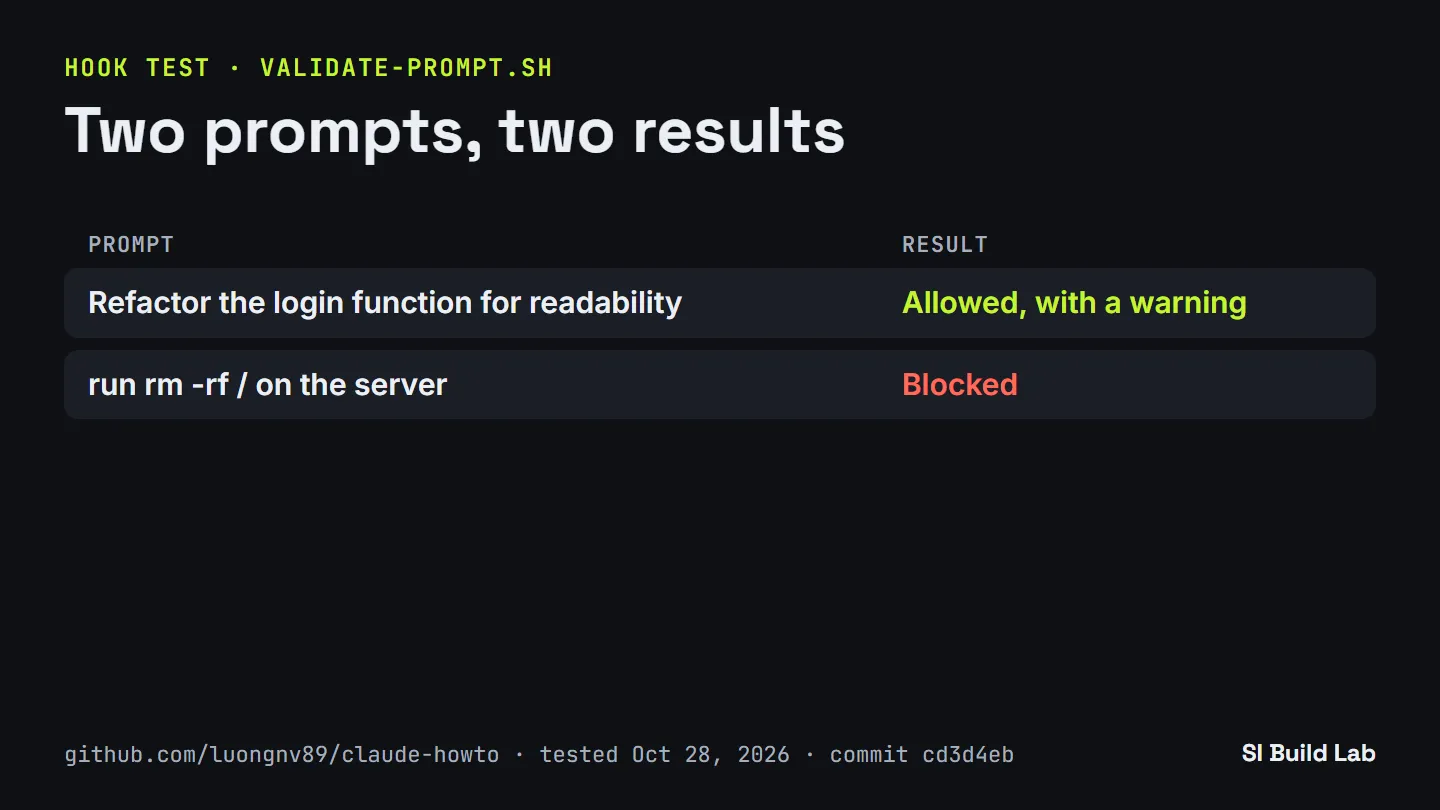
We ran the script with each prompt. It matches fixed phrases, so treat it as a starter example. Chart by SI Build Lab · github.com/luongnv89/claude-howto · tested Oct 28, 2026
Hook: security-scan. The security-scan.sh script is set up as a PostToolUse hook for writes. It scans written files for hard-coded secrets and credentials. It warns; it does not block. We confirmed that the script exists and read what it does, but we did not exercise it with a planted secret.
Offline e-book. The first build attempt failed after 2.9 seconds, because rendering the Mermaid diagrams needs Node.js 20 or newer and the Python container did not have it. In the Node 22 container the build passed. It rendered 54 Mermaid diagrams and wrote a 488,129-byte file named claude-howto-guide.epub in 8.0 seconds. We did not notice the Node requirement on our first run, so budget a minute for it.
Self-assessment skill. A /self-assessment skill is present under .claude/skills/self-assessment. We confirmed it is there. We did not run it.
Limits
- We did not run
/optimizeor any template inside Claude Code. That needs a Claude account, and this test used no accounts. Everything above about the templates is from reading the files, not from watching Claude Code use them. - The prompt hook is a phrase list, not a safety system. It matches a fixed set of strings:
rm -rf /,delete database,drop database,format diskanddd if=. It caught our example, but a command worded another way would pass. Treat it as a starter example, which is how the project presents it. - The templates can lag the tool. The
optimize.mdfile targets Claude Code 2.1.220 while the repository badge shows v2.1.310. Check a template against your own version before relying on it. - One run, one day. We ran each step once, on Oct 28, 2026, at commit
cd3d4eb. The repository changes often, so your results may differ. - The e-book needs Node.js 20 or newer. Without it, the build fails.
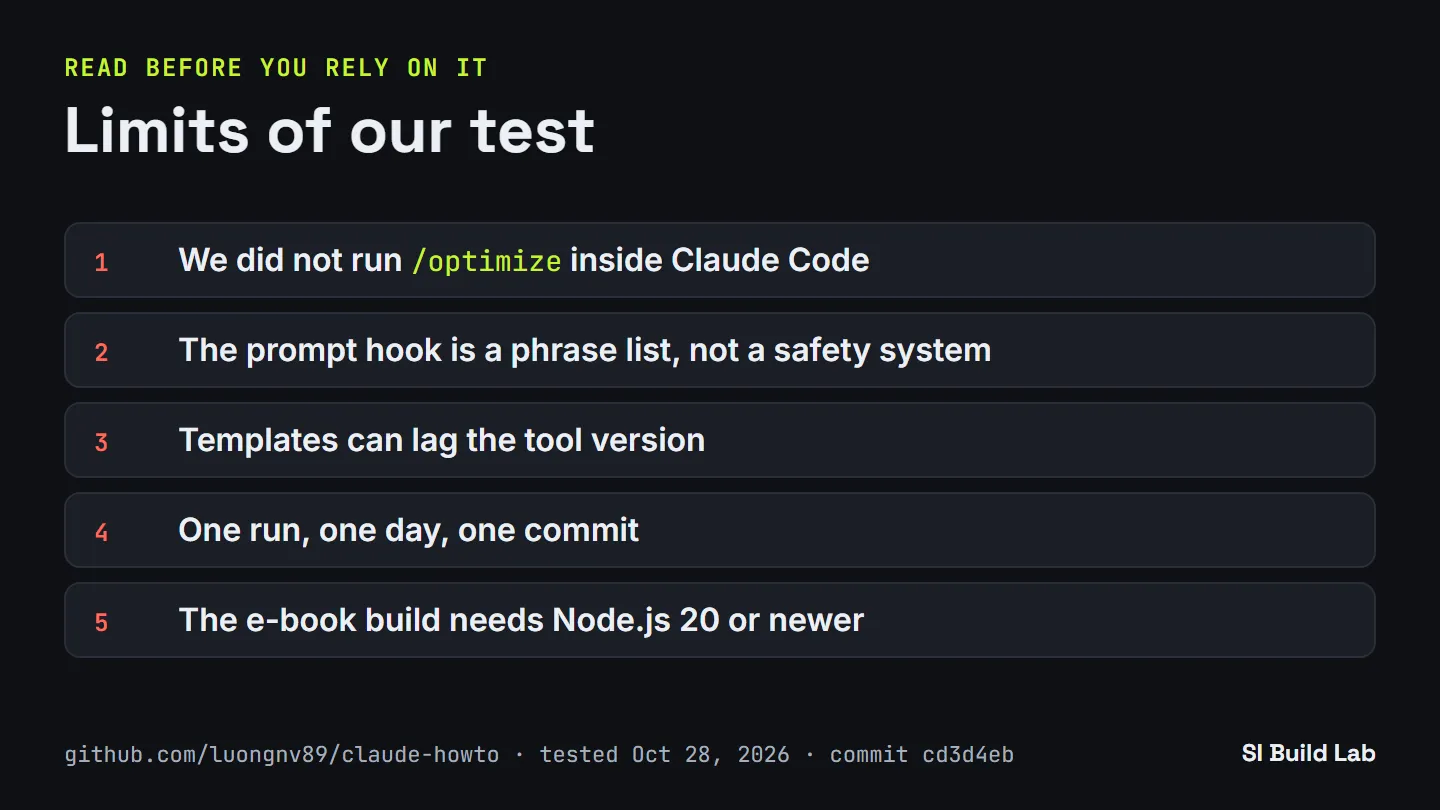
Where our test stops. Chart by SI Build Lab · github.com/luongnv89/claude-howto · tested Oct 28, 2026
Conclusion
If you want to learn Claude Code, this repository is a reasonable place to start. It is free, it clones in seconds, and every part we could run without an account worked. The hook examples are short enough to read in a few minutes and work as documented. The module order gives you a path instead of a pile of pages.
Two cautions. First, we only tested the part that runs outside Claude Code, so the templates’ effect inside the tool is still unverified by us. Second, the hooks are teaching examples; do not rely on them as protection.
Our suggested route: clone it, copy optimize.md as README step 2 says, read the Hooks module next, and run the scripts yourself in a container before trusting them. If you test the in-tool parts, we would like to hear what you find.